What it does
- Before the conversation: new mail in your Inbox appears as a conversation in the shared inbox. On first connection Twilper fetches the newest 100 messages.
- During the conversation: you reply from Twilper; the reply goes out from your own address, in the same thread.
- After the conversation: your sent reply is also in your mailbox's Sent Items. Twilper deletes nothing from your mailbox.
What you need
- Owner or admin rights in Twilper.
- Microsoft 365: a direct connection is planned and not yet available.
- Other provider: your provider's IMAP and SMTP details and usually an app password.
Microsoft 365 / Outlook
A Microsoft 365 connection is planned and not yet available. Until then you can't connect a Microsoft 365 or Outlook mailbox with "Sign in with Microsoft".
Gmail
Gmail and Google Workspace mailboxes are not supported yet: Twilper does not request access to Gmail, and Gmail login details over IMAP are blocked.
Other provider (IMAP and SMTP)
Step 1: Open the form
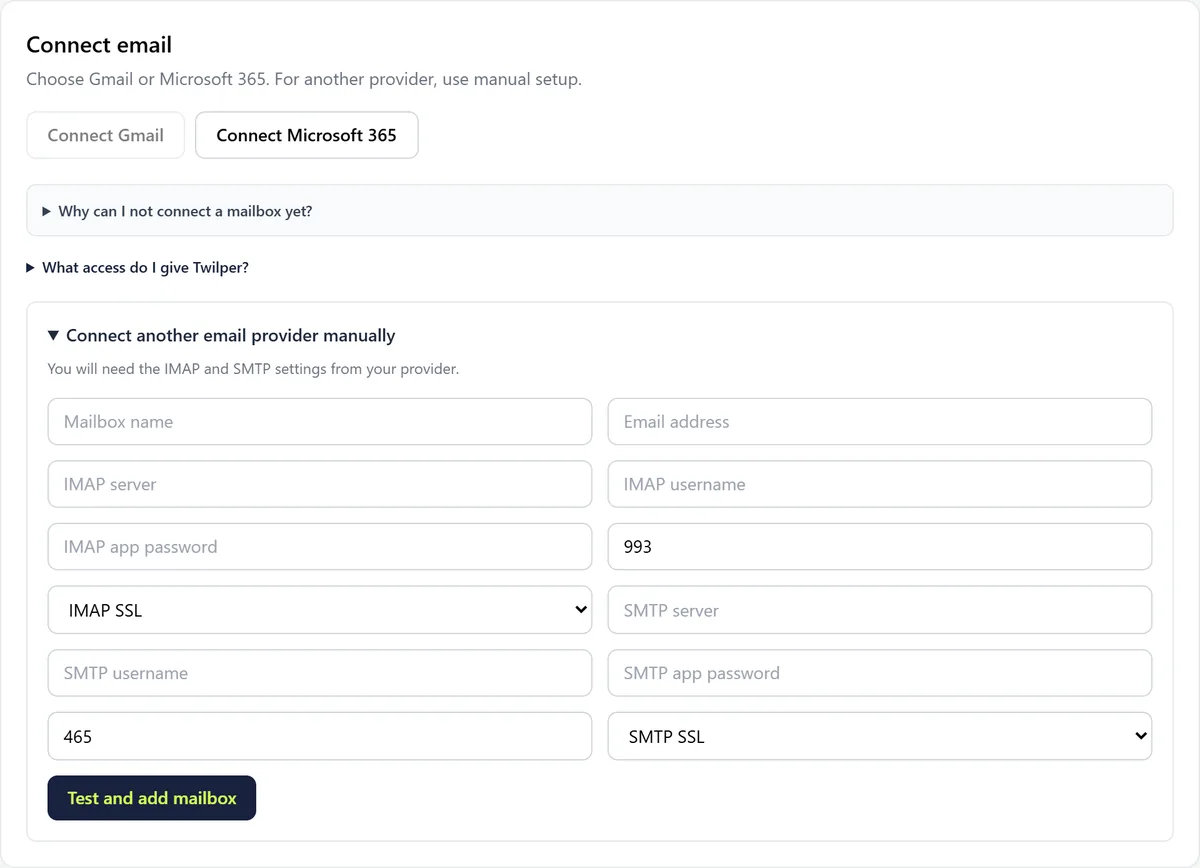
Go to "Channels" > "Email" and expand "Connect another email provider manually".
Step 2: Fill in the details
Enter the mailbox name, email address, IMAP server, username and IMAP app password (usually port 993 with IMAP SSL), then the same for SMTP (usually port 465 with SMTP SSL).
Step 3: Test and add
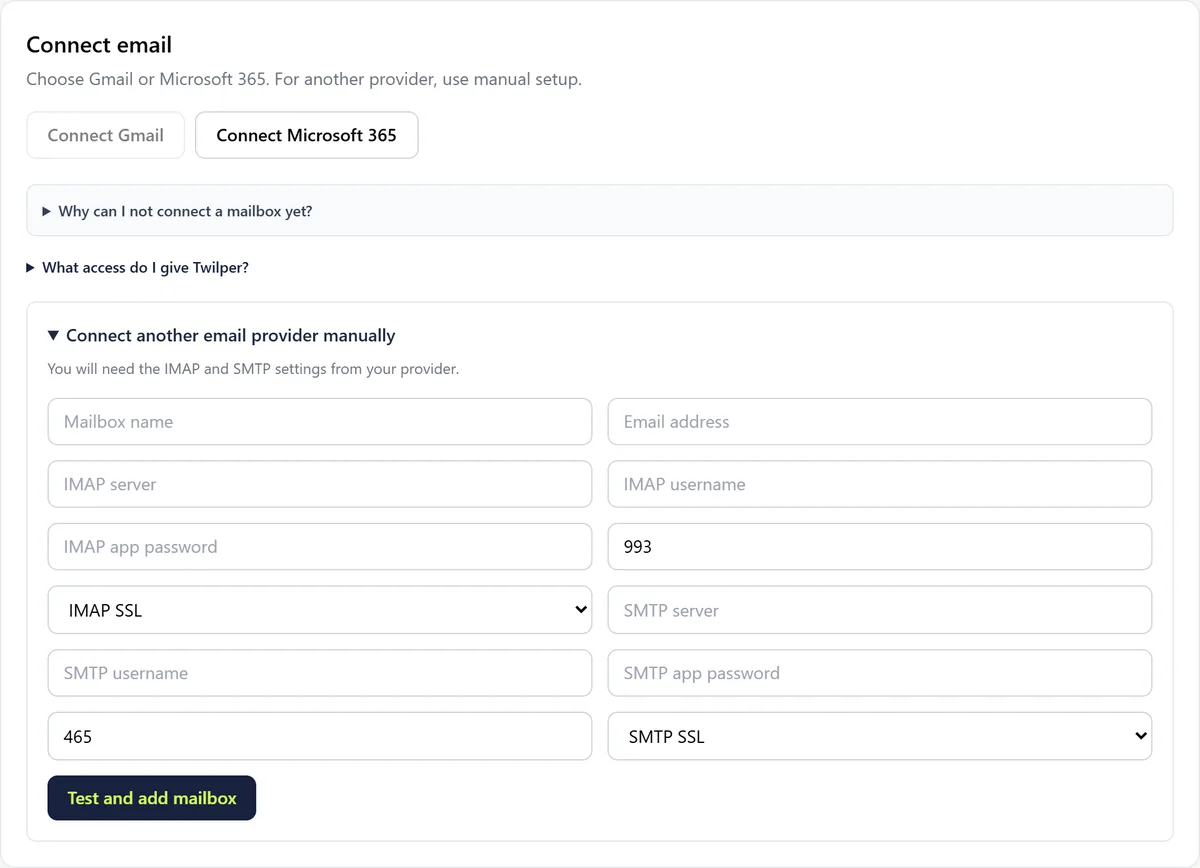
Click "Test and add mailbox". Twilper first checks that signing in works.
Rules and settings
- Credentials are stored encrypted. You can revoke access at any time with "Disconnect" under Channels.
- "AI suggestions for email" switches AI draft replies on or off (when enabled for your workspace).
- Set the signature under your replies under "Settings" > "Email".
Testing
- Send an email from another address to the connected mailbox. Within minutes it appears in the inbox. Reply and check that the reply arrives in the same thread.
Common problems
- "Reconnect needed": this mailbox used the old connection. Click "Reconnect" and sign in again.
- IMAP sign-in fails: use an app password instead of your normal password, and check server and port with your provider.
- "Not available yet" on the card: this way of connecting is not enabled for your workspace yet.
Good to know
- Want a separate support address without an existing mailbox? See Email via Resend.