What it does
- Before the conversation: a customer sends a WhatsApp message to your number; it arrives as a conversation in the inbox.
- During the conversation: the AI can answer from your knowledge base until a colleague takes over. A reply from your team pauses the AI automatically.
- After the conversation: more than 24 hours after the customer's last message you can only send approved templates.
What you need
- Twilper Phone with your own number: WhatsApp uses the same number.
- A verified business in Meta Business Manager (Security Center > Business verification). Meta can take several business days.
- A display name that matches your business name; Meta approves it.
- Costs: Twilio charges a small amount per message and Meta per delivered template; replies within 24 hours are currently free at Meta. See the pricing page for current prices.
Set up
Step 1: See where you are
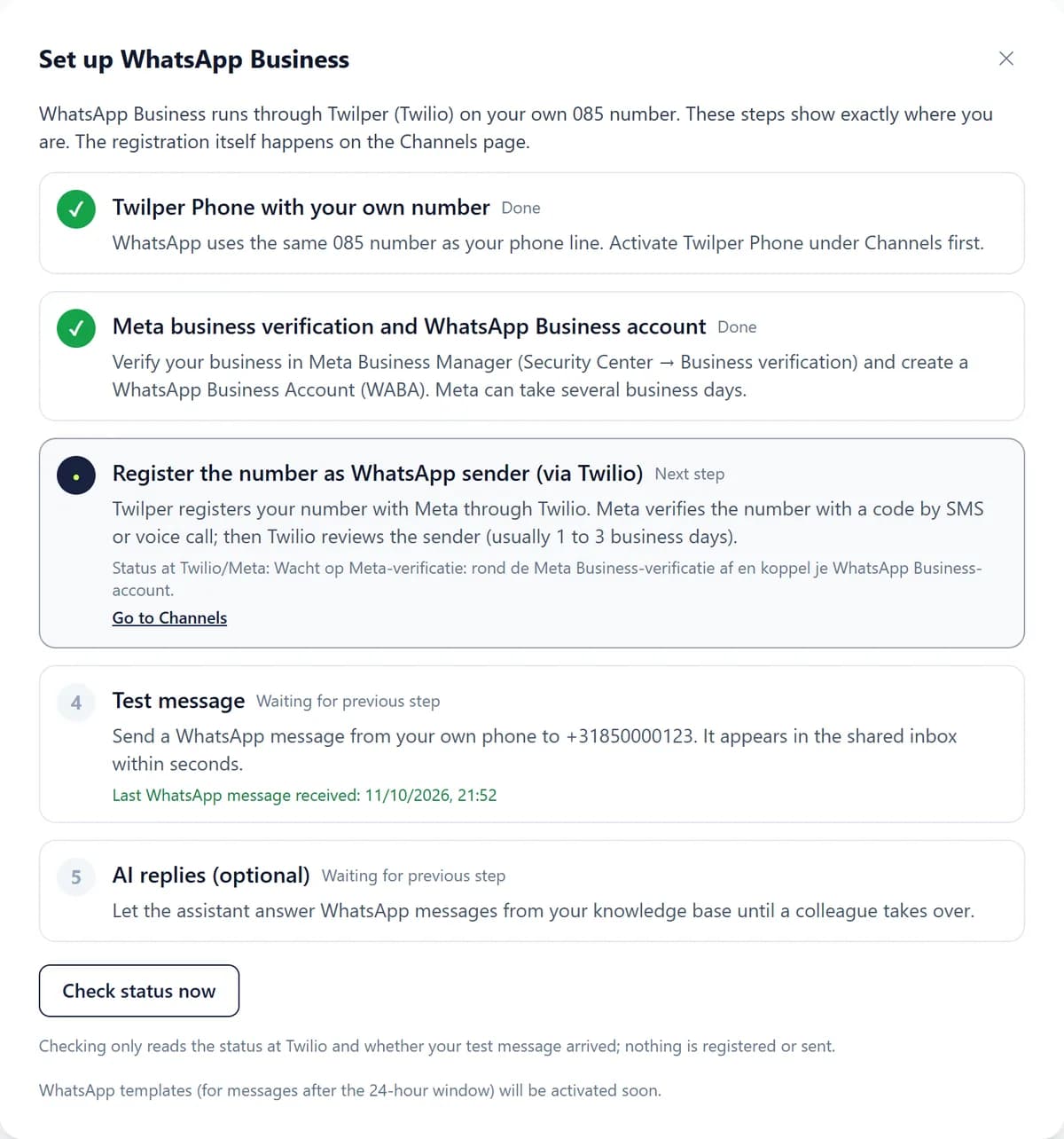
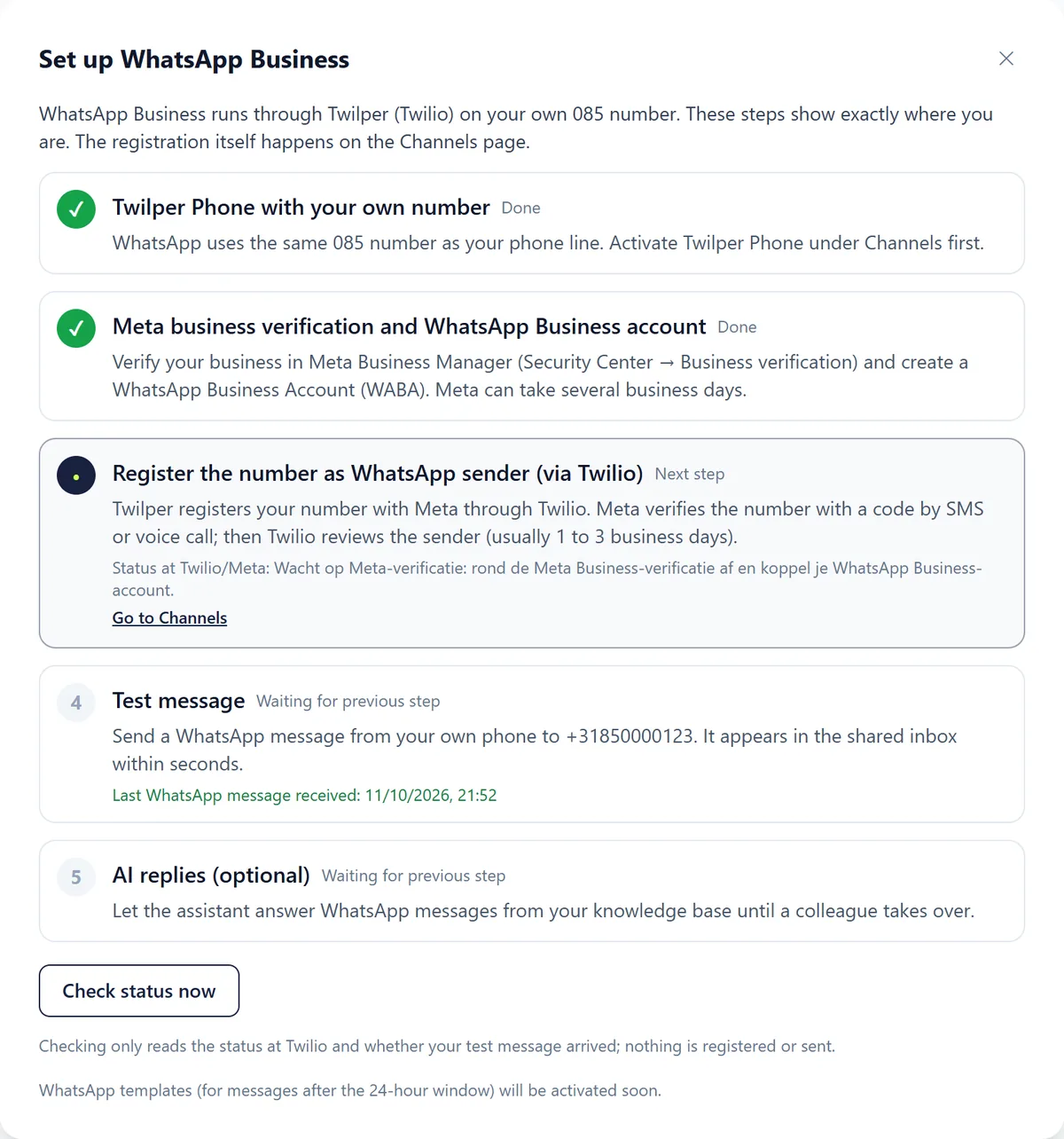
Go to "Integrations" and click "Set up" on "WhatsApp Business". The wizard shows every step as done, next step or waiting for the previous step.
Step 2: Register your number
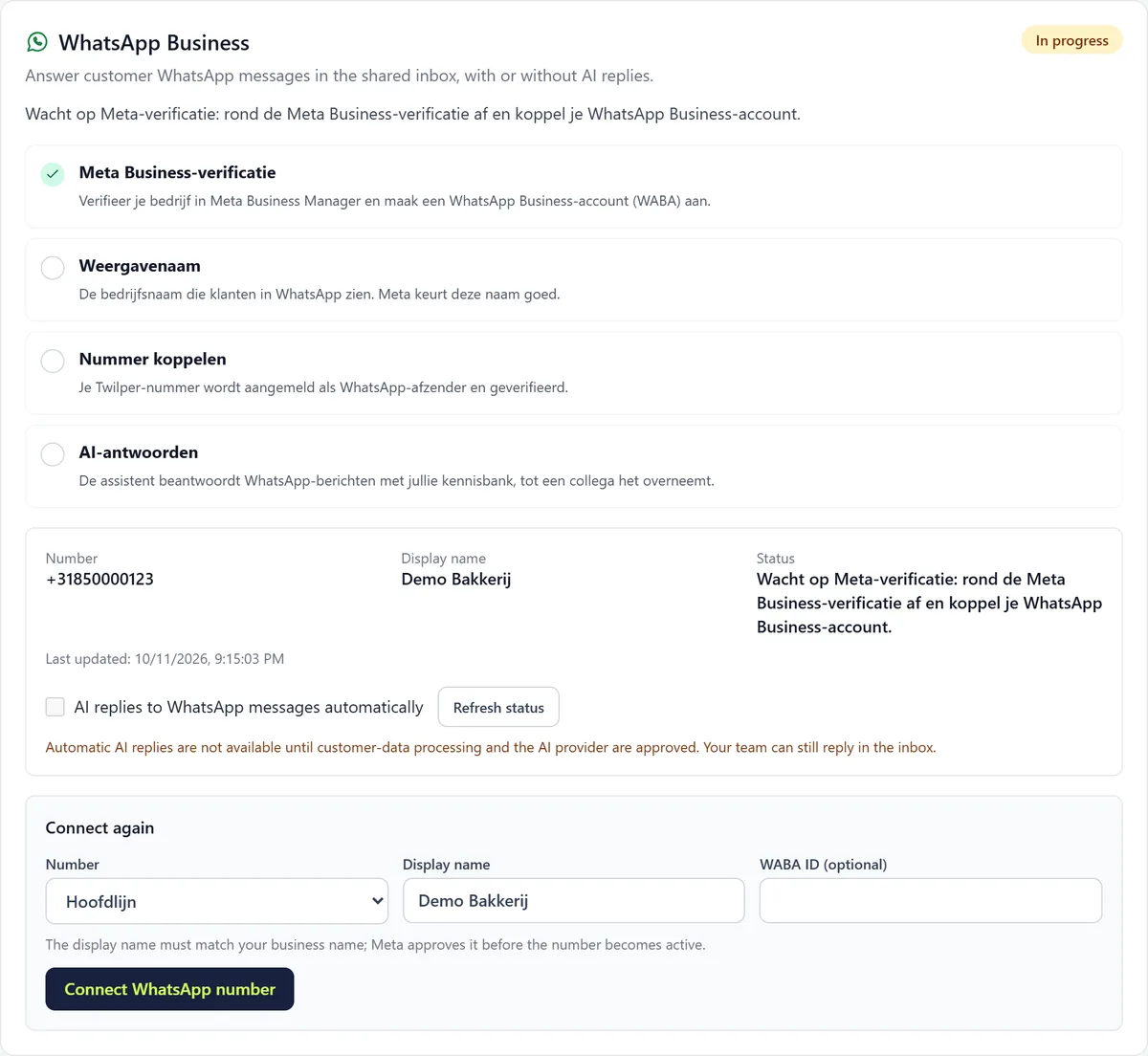
Go to "Channels" > "WhatsApp". Click "Sign up with Meta" to connect your WhatsApp Business account (if an ad blocker stops it, enter the WABA ID yourself). Choose the number, fill in the display name and click "Connect WhatsApp number".
Step 3: Wait for the review
Meta verifies the number with a code by SMS or voice call; then Twilio reviews the sender, usually in 1 to 3 business days. "Check status now" reads the current status.
Step 4: Switch on AI replies (optional)
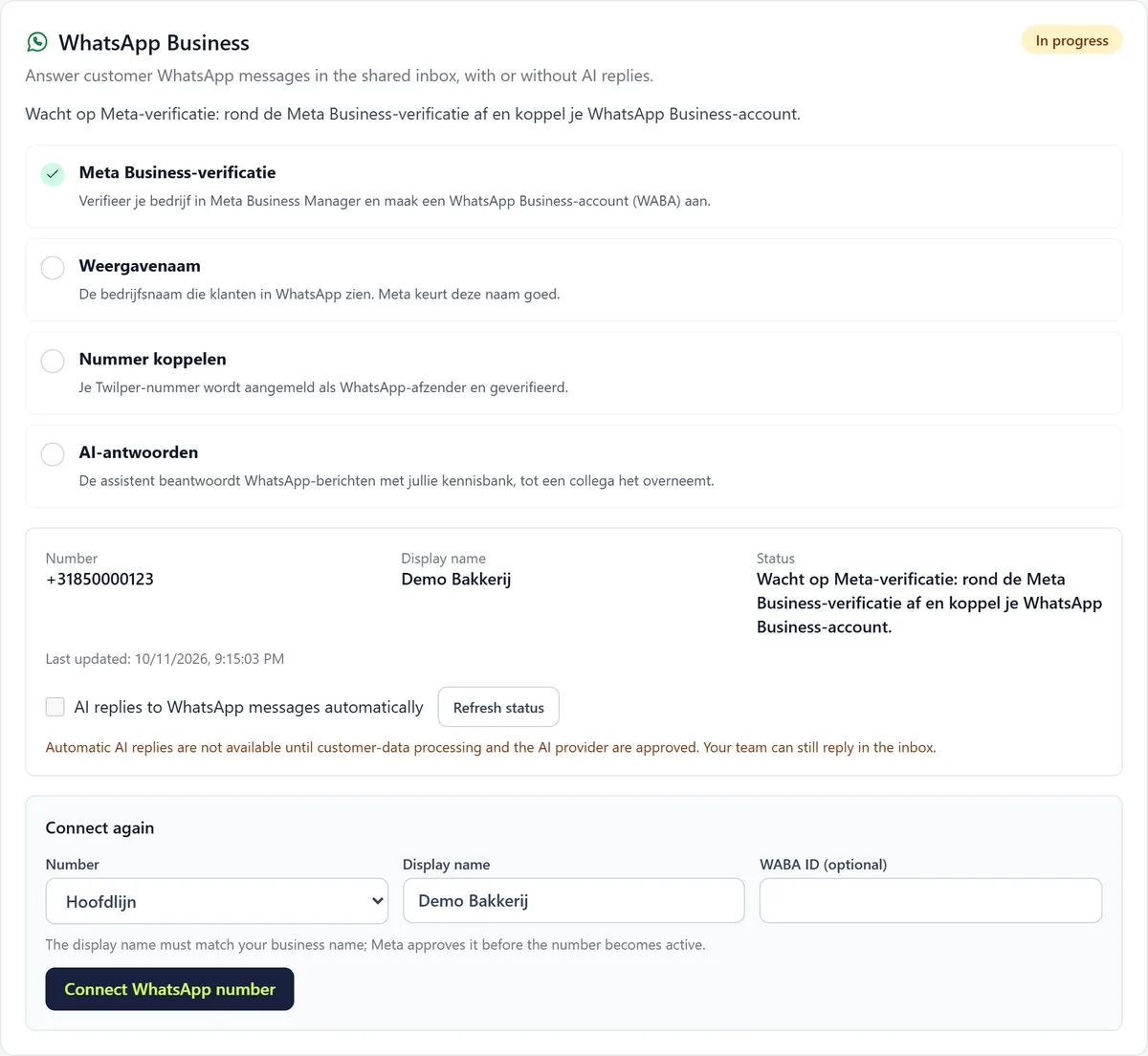
Tick "AI replies to WhatsApp messages automatically" if the assistant may answer.
Rules and settings
- You may only send free-form messages within 24 hours of the customer's last message. After that, choose "Choose template" in the inbox.
- Create templates in the WhatsApp wizard under "Templates": name, language, category (Service or Marketing, marketing costs more) and text with variables. Meta reviews them within minutes to 24 hours.
- In the inbox, pause the AI with "Pause AI" and hand back with "Hand back to AI".
- Photos (JPG, PNG, WebP) and PDFs up to 10 MB come in; voice notes and video show as a notice.
Testing
- Send a WhatsApp message from your own phone to your Twilper number. It appears in the inbox within seconds and the "Test message" step is ticked.
Common problems
- Waiting for Meta verification: complete business verification in Meta Business Manager and connect your WhatsApp Business account.
- The display name is rejected: choose a name that clearly belongs to your business or website.
- You can't message a customer freely any more: the 24 hours have passed. Send an approved template.
- The phone step is not done: switch on Twilper Phone with a number first (see the phone line guide).
Good to know
- For working with WhatsApp in the inbox in general, see the WhatsApp article.